
Reads a card in about 2 seconds
Personal data and the portrait are read from the chip, avoiding manual typing errors.
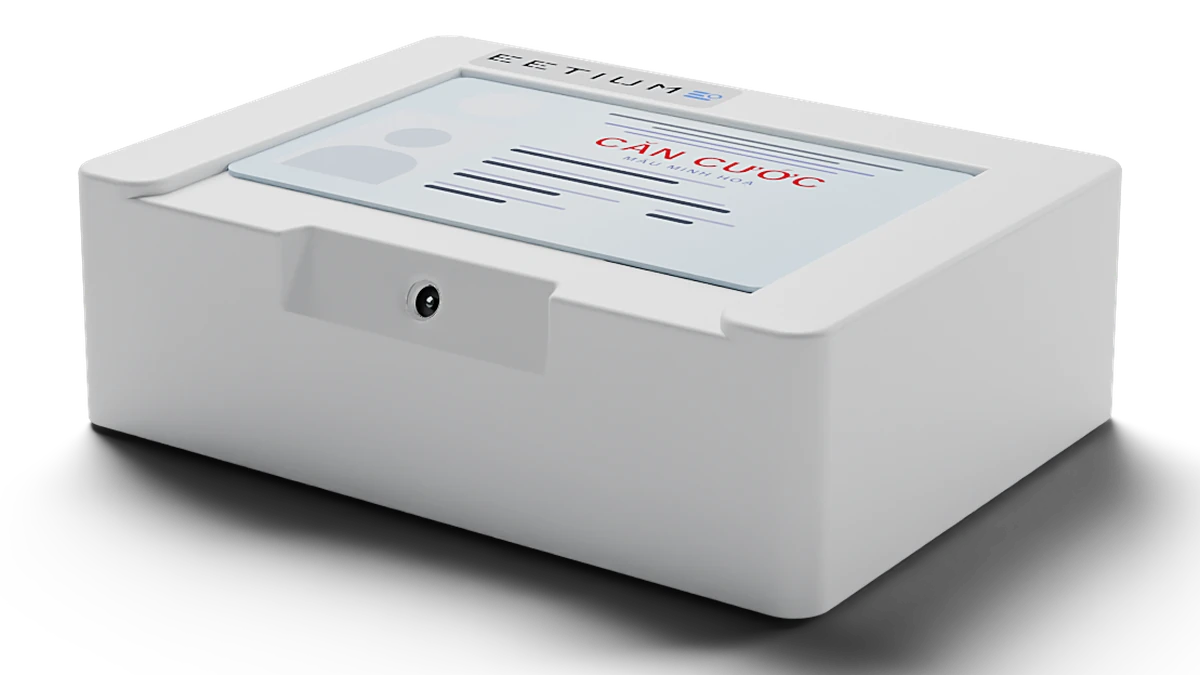
A compact one-piece design that fits easily on a counter. Plug in the USB cable and start reading right in the browser.
For document intake desks, service counters, hotel front desks and healthcare facilities.
Contact us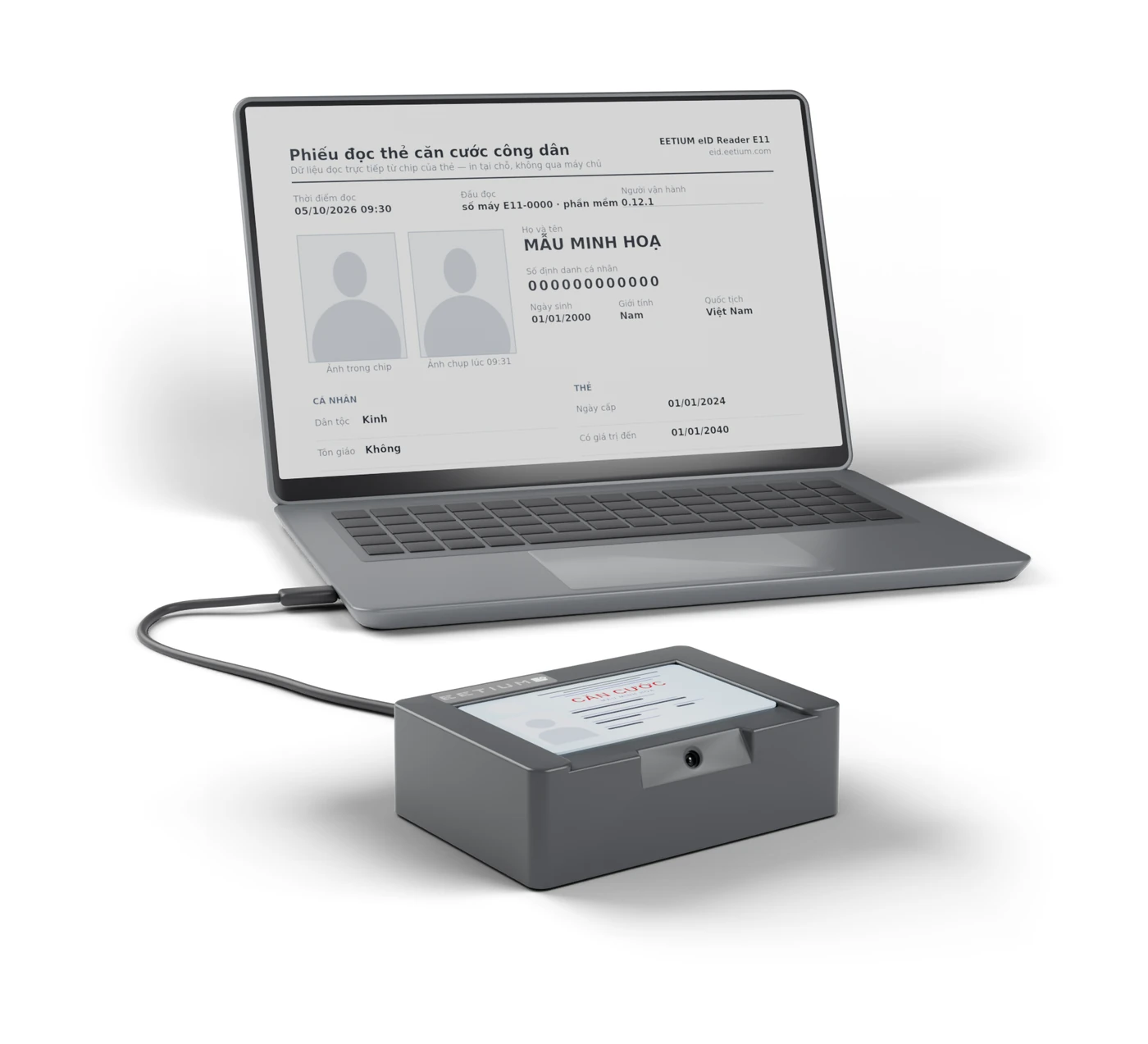
Personal data and the portrait are read from the chip, avoiding manual typing errors.
Works in Chrome or Edge, with no software, driver or administrator rights required.
Processed on the computer at the counter and never sent anywhere.
Print a slip, save a PDF, copy the data or download a JSON file for records and business software.
From receiving the card to completing the record, every step happens in one interface.
Reads the personal data and portrait stored in the chip over NFC. Each step is clearly shown on screen.
The built-in scanner captures the data in the QR code and combines it with the chip data for processing records.
The camera on the front takes a photo of the cardholder at the counter. Staff compare and confirm the result themselves.
Use the reading results for paper or electronic records. The slip can include the portrait from the chip and the comparison photo; the JSON file is for integration with business software.
The E11 reads the identity data and portrait from the chip and adds data from the QR code on the card, all shown in one interface: personal identification number, full name, date of birth, sex, nationality, place of origin, place of permanent or current residence, date of issue, date of expiry and portrait.
Supports chip-based citizen ID cards (CCCD, issued before 1 July 2024) and identity cards (issued from 1 July 2024). The data comes directly from the chip of the card presented.
Plug the E11 into a USB port, open the card reading page in Chrome or Edge and click Connect device. Select the E11 from the list the first time; after that the page connects automatically.
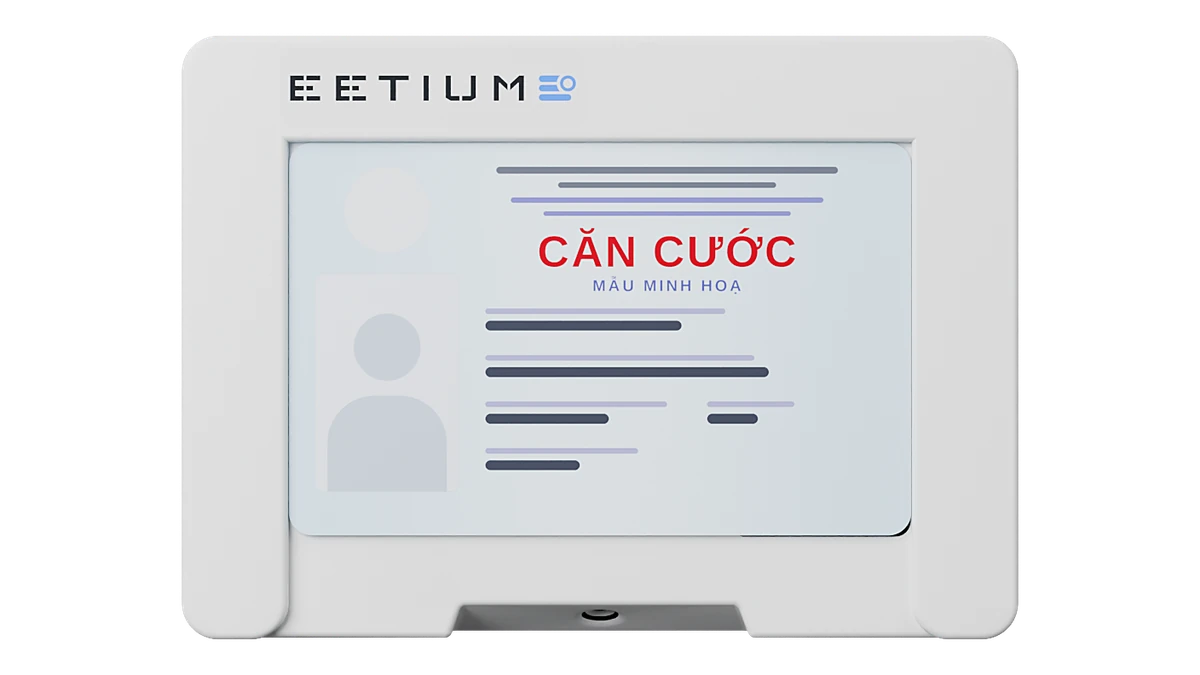
Place the card in the tray with the QR code facing the scanner. The reader detects the card and reads the chip; it beeps when reading starts, so hold the card still for about 2 seconds until it finishes.
The screen shows the data and portrait from the chip. Take a photo of the cardholder with the built-in camera to compare, print a slip or save a PDF, then click Clear results. If you forget, the page clears them after 10 minutes.
The data and portrait are read from the chip and shown on the computer at the counter, without passing through any intermediate server, including EETIUM’s.
The chip opens only after PACE authentication under ICAO Doc 9303, and all exchanges are encrypted (Secure Messaging). Session keys are generated for each read and never leave the reader.
Results stay only in the page’s memory and are cleared after 10 minutes, when you click Clear results or when the reader is unplugged; the reader does not write card data to its own memory. The technical log records only action names, times and the number of fields read, with no ID numbers, names or photos.
The chip reader, QR scanner, camera, buzzer and indicator light share one housing, connected to the computer by a single USB-C cable that carries both data and power. The card tray is recessed into the body and fits the card exactly, so the card sits in the right position.
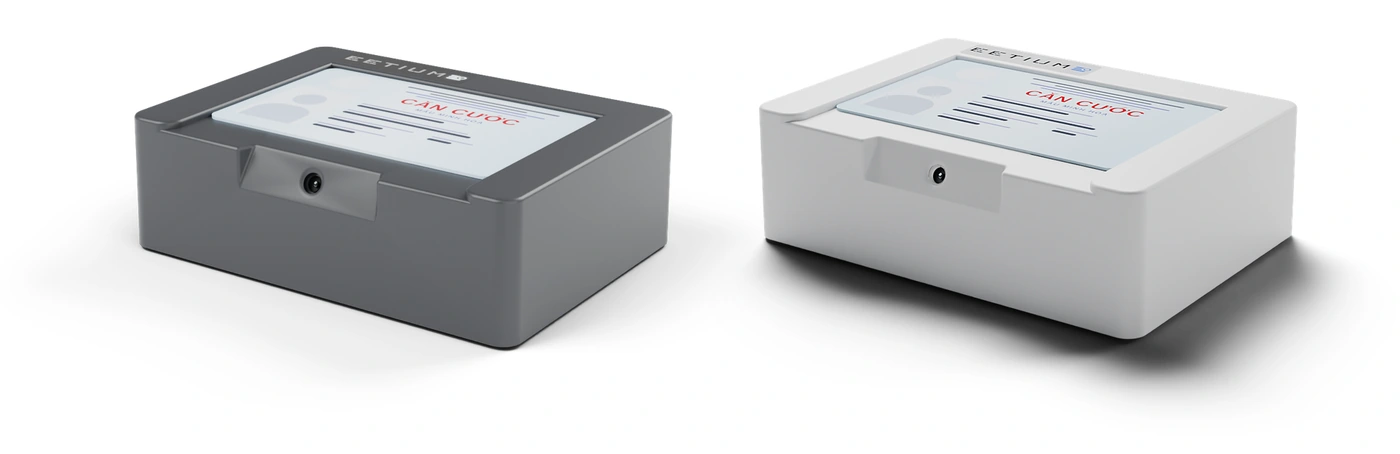
Footprint 115.6 × 83.6 mm, 36.5 mm high, about 150 g. Two housing colours: white or charcoal.
| Supported cards | Chip-based citizen ID cards (CCCD, issued before 1 July 2024) and identity cards (issued from 1 July 2024) |
|---|---|
| Standards | ICAO Doc 9303; ISO/IEC 14443 (contactless, 13.56 MHz); ISO/IEC 7816-4 |
| Chip communication security | PACE under ICAO Doc 9303; Secure Messaging |
| Card communication speed | Up to 848 kbit/s, selected automatically |
| Reading time | About 2 seconds for the data and portrait |
| QR scanning | Built-in scanner for the QR code on the card |
| Computer connection | USB-C, USB 2.0; data and power over one cable |
| Camera | 5 MP CMOS, 30 frames per second |
| Expansion ports | 2 × USB-A |
| Indicators | Indicator light on the logo glass: on when powered, flashing while reading; buzzer |
| Software | Reads cards in the browser (card reading page), online or offline; no software or driver to install |
| Browsers | Chrome, Edge, Opera (not Safari or Firefox) |
| Operating systems | Windows, macOS, Linux (Linux needs a USB permission rule supplied by EETIUM) |
| Firmware updates | One click on the card reading page, with digitally signed firmware packages |
| Dimensions | 115.6 × 83.6 × 36.5 mm (L × W × H) |
| Weight | About 150 g |
| Colours | White or charcoal |
Not necessarily. The offline version runs on computers without a network connection; the online version needs the internet to open the page and check for updates.
No. Browsers on iPhone and iPad do not let web pages connect to USB devices. Use a Windows, macOS or Linux computer with Chrome, Edge or Opera.
No. The E11 reads chip-based cards; the old ID cards (CMND) and barcode CCCD cards have no chip.
No. To keep a record, print a slip or download the PDF or JSON file and store it according to your organisation’s procedures.